Showing posts with label Authentic Writing. Show all posts

Tuesday, August 27, 2013

Free Mind Mapping Site that Saves to Google Drive

MindMup - http://www.mindmup.com, is a web-based and free mind mapping software. MindMup links to your Google Apps account allowing users to save mind maps in your Google Drive account. Once saved in Google drive users can share their Mindmaps.  

Mind Maps have a number of uses such as planning or organizing your thoughts prior to writing or making connections between topics or events. An extensive list of graphic organizers that serve a similar purpose can be found here.  Having the ability to share your maps within Google Drive allows students or teachers to collaborate on the development of ideas.

Teachers may collaborate with students on Mind Maps or review student progress. Maps created by students may be shared with their teachers via Google Drive. Teachers may then publish those maps on a class Smartboard for class discussion.

Providing students with graphic organizers or mind mapping resources to organize their thoughts is a classroom intervention with numerous benefits. Having the ability to access and share these maps over the web adds a new layer of interactivity and accessibility that makes MindMup worth exploring.

Directions and Documentation for Mindmup can be found here: http://blog.mindmup.com/p/documentation.html

Read the Mindmup Blog Here: http://blog.mindmup.com/


Tuesday, June 25, 2013

Student Reflection on a Lesson with Blogs

As part of our teacher training programs and evaluation protocols we have a focus on lesson reflection. We encourage and sometimes mandate that teachers reflect on a lesson after its completion. What worked? What didn't work? Did you have a clearly aligned objective and did you meet that objective? Did the students understand? How do you know ? What would you do differently next time? etc....

What we typically do not formalize is the collection of feedback from students regarding a lesson. We do evaluate and assess understanding through formative and summative assessment, but do we know how they truly felt about the delivery of a lesson? Do our students have insights that could improve the instructional delivery, method of assessment or expected outcomes? I am sure they do!

Blogging in the classroom and the development of student blogs provides students with a voice. It is an opportunity to publish their thoughts and ideas for an audience. We encourage students to take part in online discussions or possibly comment on a publication. How about asking student to provide feedback regarding a lesson? While they may require a framework regarding effective feedback, I would believe that what they provide a teacher may be as valuable as the results of the formative/summative assessment used to measure a lessons effectiveness.

Blogger, Kidblog, Edublogs or Moodle are all great classroom blogging options.

Tuesday, June 11, 2013

Improve Student Writing Through Electronic Conferencing

A new app available within Google Drive allows for the insertion of Voice Comments into Google Docs. The app is free and easy to use.  The tutorial below will demonstrate how to install it and begin using it.

This tool allows teachers to provide specific feedback to students regarding their writing using verbal expression. It can also be used for students to provide peer review. In the past I have connected my students with other students around the world to conduct peer review of writing using the comments features. This allows the students to gain the benefits of expressive verbal language. It's also really cool!


Monday, April 29, 2013

Strategies for Improving Writing

During my time in education I have worked with a number of school districts. Having been in charge of educational technology during most of my time I have been called upon to provide technological resources that can help these districts improve writing. Teachers and administrators across all grade levels have sought out my knowledge on digital writing resources in order to fill their toolbox, engage students, and increase the quality of writing. While I have successfully curated a number of resources and found success with implementing technology to improve writing, I have concluded that  the best way to improve writing is not high tech at all.

What I believe is that writing can be improved by the following:

Consistency - Writing should be interdisciplinary. The expectations for writing across disciplines should be somewhat uniform. While the expectation of a DBQ writing in social studies may be different from a character analysis in English the fundamental components of a quality written piece should be consistent. Common rubrics, writing mini lessons, graphic organizers  and common vocabulary should be part of inter department collaboration.

Writing Every Day - Students should be provided with an opportunity and expectation to write in every class, every day. Do Now and Closure activities may provide opportunities for reflection or quick writes. Art and Music classes may provide opportunities for reflection and critique. Publishing a class blog or threaded discussion provides a writing opportunity that extends the school day.

Publishing - Here is were technology provides the most value. Students should be given the opportunity to write for an audience. By publishing student work we provide them with an authentic task that is engaging and may be rich with feedback. Google Docs provides opportunities for students to  publish electronically. The documents may be shared for peer review. A class blog or online discussion provides opportunities for students to publish for an audience. Requiring students to publish on online discussion boards, blogs, or just publishing their writing on social sharing sites provides a voice, a global audience and intrinsic or extrinsic motivation to produce quality work.

When a school, not a teacher commits to a collaborative effort to improve writing that is when we can expect change. Professional development and common planning time should be focused on defining good writing, developing and sharing rubrics, graphic organizers,  mini-lessons, and common vocabulary. When teachers are provided such a tool box with time to review and discuss the results we can have an expectation of growth and improvement.

Monday, April 8, 2013

Student Podcasts - "This I Believe" Essays

Student's is Ms. McCabe's English 9 classes in Chatham High School have published their "This I Believe" essays as podcasts. Ms. McCabe wanted to have an opportunity for her students to publish their writing for a audience outside of the walls of their classroom.  Students refined their writing with the goal of sharing for a global audience.  This authentic practice resulted in increased student engagement and cultivated their 21st Century digital literacy skills. It was also a lot of fun! Students utilized Audacity to record their narration and our  Schoolwires website to publish them.

Below is an excerpt from Ms. McCabe's website describing the project:

From 1951 to 1955, Edward R. Murrow hosted This I Believe, a daily radio program that reached 39 million listeners. On this broadcast, Americans — both well known and unknown — read five-minute essays about their personal philosophy of life. They shared insights about individual values that shaped their daily actions. A first volume of This I Believe essays, published in 1952, sold 300,000 copies — more than any other book sold in the U. S. that year except for the Bible. In fact, these Murrow broadcasts were so popular that a curriculum was developed to encourage American high school students to compose essays about their most significant personal beliefs.

Fifty years later, This I Believe, Inc., is continuing the mission of inviting Americans of all ages and all walks of life to examine their belief systems and then write and share a 500-word personal essay, a “This I Believe” essay.


In introducing the original series, host Edward R. Murrow said, “Never has the need for personal philosophies of this kind been so urgent.” We would argue that the need is as great now as it was 50 years ago.


Thursday, November 8, 2012

Virtual Author Visits

What do good writer's do? Why not listen to them tell you. NBC Learn  has curated a number of video taped interviews with well-known children book authors. These short interviews provide an insight into their creative writing process. Current authors interviews available include:

Moe Willems, Doreen Cronin, Peter Brown and many more.  Full transcripts of each interview are also available.  It might be interesting to paste the text from each interview into Wordle to identify the common language and ideas shared by these authors?

http://www.nbclearn.com/writersspeak

Friday, October 26, 2012

Flipping The Instructional Design In Core Subject Areas

One of the highlighted additions to the Common Core Standards is the focus on informational text. Students are required to demonstrate comprehension of such text as well as the ability to produce written text  grounded in research, analysis and argumentation.  In order to develop these skills and to prepare students for college and career readiness a paradigm shift must occur in many of our content areas. In many schools the approach to addressing this shift has been the integration of literacy instruction and application into core subjects such as social studies and science.

The design process looks something like:

What do we want our students to learn?


What content must we cover?


How can we integrate literacy into this process?


With the help of the Literacy Design Collaboraive teachers can now Flip this process in order to have a more focused approach to literacy instruction without minimizing the content. In  fact, teachers who have implemented the "template tasks" developed by the LDC have discovered students develop greater and deeper content knowledge.

This model involves:

Select a Literacy Based Template Task


Select a topic from your curriculum


Fill in the blanks in the task from the topic


Select the content/ text students will read


Select the text the students will write.


The task templates are available for download on the LDC website. The tasks are designed to be integrated into LA, Science or Social Studies.


An example task is:


[Insert question] After reading _____ (literature or informational texts), write _________ (essay or substitute) that addresses the question and support your position with evidence from the text(s). L2 Be sure to acknowledge competing views.

Sara Ballute and Timothy Lent in New York City used that template to create a teaching task for high school world history:

Were the achievements and growth of the Industrial Revolution Era worth the cost to society? After reading secondary and primary sources pertaining to the British Industrial Revolution, write an argumentation essay that addresses the question and support your position with evidence from the texts. Be sure to acknowledge competing views.

Monica Cressman, Sean Houseknecht, and Alex Shubert of the Elizabethtown (Pennsylvania) School District used the same template for middle school science:

Should animals be kept in zoos? After reading the information texts provided, write an essay that addresses the question and support your position with evidence from the texts. Be sure to acknowledge competing views.

The integration of the template tasks provided by the LDC represent a paradigm shift in core content instruction. While this model has proven to be effective it requires significant PD for all. This is a great opportunity in high schools for interdisciplinary PD. Having English teachers host PD on writing instruction for content area teachers, developing common writing rubrics and developing PLC's with a focus on this topic are some ideas worth exploring.

Wednesday, September 26, 2012

Common Core Writing - The NY Times Can Help!

The NY Times blog Room For Debate is a great resource that can be used to instruct students in the process of writing logical arguments which is identified in the Common Core Standards.

Room for Debate is full of posts that take an issue or event in the news and curates opinions about it from four to six knowledgeable sources. The responses are limited to four or five paragraphs. This allows for the integration of this resources to fit within the constraints of standard class periods.

Here are some ideas offered by the NY Times to utilize this resource to support the common core standards.

  • Analyze one of the debates and judge how the authors compiled their arguments agains the CC writing standards for making logical arguments.

  • Start your own Room For Debate using Blogger or Google Docs. Post a link or details regarding and article and then invite 4 or 5 students to present logical arguments for or against the topic.

  • Create a fantasy version of room for debate

    • Have characters in a novel debate an important issue or topic in the work

    • What about scientists debating a belief or argument?


  • In the student opinion feature a question so posed for students to respond to. Students may publish their written arguments for a global audience of their peers.


Resources:
http://learning.blogs.nytimes.com/2012/02/13/constructing-arguments-room-for-debate-and-the-common-core-standards/

 Image:
http://scm-l3.technorati.com/12/08/28/71661/copywriting-not-copy-my-writing.jpg?t=20120828121602

Friday, June 15, 2012

District Academy Awards 2012

On Monday June 11, 2012 we hosted our second annual academy awards ceremony. This was the first time that it has been a district-wide event. Previously it was limited to only the Middle School.   I developed this event with our middle school gifted and talented teacher, Dr. Nancy Harris.  The purpose is to recognize and celebrate the fabulous multimedia projects that our students have created throughout the year in grades K-12. 

Digital storytelling, podcasting, stop motion animation and digital authoring  are all integrated into all of our instructional areas. In each content area students and teachers are creating and accessing such content to  instruct and assess.

Multimedia creation develops information literacy skills such as research, evaluation and organization of digital content.  The process develops visual literacy, critical thinking, and collaboration.  Students who take part in these projects are provided an authentic task and an audience for their writing beyond the classroom teacher. In many cases students discover the power of their own voice and an overall excitement about learning.

The categories that we recognized included:  Non-Fiction, Personal Narrative, Historical, Stop Motion Animation, Podcast/Radio Show, Environment, Character Counts, Public Service Announcement, Current Events, Foreign Film, Tutorial and Digital Book.

We had 21 productions in which 53 awards were given. For this event we setup a red carpet for students to enter. Each winner received a mini oscar award. This year we had 250 parents, family and students in the audience. Our students did an fantastic job on their productions. We are proud of the work they created and the teachers who supported them.

We look forward to this event next year. To begin planning class/student projects for this event please visit the resources below:

Mr. Walker's Digital Writing Wiki: 

Digital Storytelling 

Storyjumper

SAM Animation


Thursday, April 26, 2012

News Stories for Grades 1-3

In the past I have written about Tween and Teen Tribune. You can read more about them here. These sites provide news stories for students. Teachers may setup student accounts that allow them to leave comments that are moderated by the teacher.

Tween Tribune just released Tween Tribune Junior for grades 1-3.  It includes all of the same features as the other versions! This is a great resource for integrating primary source documents, current events, collaboration and student publishing into your classroom.


Enjoy!

Friday, March 30, 2012

Student Book Reviews Using Google Sites

Our district is a member of Google Apps for Education. We have started to use Google Sites for a number of initiatives. We started to use Sites for teacher websites in some of our schools. We also  used Sites to build instructional resources. Our interactive Pyramid of Intervention and  Collaborative Group Work Resource are two great examples. 

Recently two of our grade 2 teachers were looking for an online solution to publish their student's book reviews. We decided to use Google Sites as the tool. Each student illustrated a picture of themselves and a picture of the book. I created pages on the site to publish their profile pictures with links to their book reviews (that the students typed in MS word).  The result is a fabulous site that publishes their book reviews. Please take a look at our student's work here. 

By providing an opportunity to publish their book reviews we established an authentic task that proved to be engaging for the students. They were writing for a global audience and were very connected to the assignment. It was positive experience for everyone!

Enjoy!


Tuesday, February 21, 2012

Common Core Writing - Web-Based Instructional Resources

Consider the following standard taken from the Language Arts Common Core

Standard: Writing

     “The ability to write logical arguments based on substantive claims, sound reasoning, and relevant evidence is a cornerstone of the writing standards, with opinion writing—a basic form of argument—extending down into the earliest grades. “       

While there are a number of resources and strategies that may be used to address this standard I would like to share some online resources that are available.

Let’s first take a look at the available options in the NY Times. We are all aware that the Opinions Section for any newspaper, not just the Times, offers an opportunity to read various viewpoints on a topic. Students may reflect, conduct further research and form their own opinions based on what they read in these sections. The New York Times Editorial page, Op-Ed columnists, Letters to the Editor or even the collection of Opinion videos are great resources for this type of activity.  There is also the Student Opinion section from the NY Times Learning Blog which targets stories relevant to our students.  Students 13 years old and above may register to post comments on the stories posted.

The New York Times offers another great resource called “ Room For Debate”  (www.nytimes.com/roomfordebate)  Room for Debate looks at an issue or event in the news and organizes four to five opinion pieces for each. The contributors are limited to a four or five paragraph response. This makes the reality of implementing this in a classroom or as a homework assignment more practical. The site is very user friendly for teachers and students.

There are a number of uses for such a source. Instructional strategies such as think-pair-share or jigsaw may be used in the classroom to discuss the various views. Culminating activities may involve contributing to an online discussion using Moodle, Edmodo, Ning, or a blog posting or any other online discussion forum.

After reading and researching varying viewpoints on a topic students may be charged with crafting their own written opinion piece that will be reflective of the various opinions as well as their knowledge of context gained.

Teen and Tween Tribune are another great resource for students to read current event articles as well as the responses and comments published by other students. Each day they post the most compelling, relevant, and interesting stories for teens and tweens. Students are provided with an opportunity to comment on these stories. Teachers may setup a class page and accounts to manage and monitor the activity on the site.


There are a number of websites that offer articles or conversation starters that can be used to formulate persuasive or argumentive writing. Opposing Views, Procon, Middle School Debate and the Wikipedia list of controversial issues are a few.

When looking at current news, politics and other notable events PolitiFact takes an interesting spin in its approach.  Each day they analyze statements and comments made by notable politicians and then rate the accuracy of these statements.

The RAFT writing strategy is a popular strategy for both teachers and students. You can view my wiki of resources regarding this topic here. When constructing a writing task in social studies this topic generator may come in handy.

When developing expository writing assignments in any subject area technology may be a valuable asset. The development of a digital story or tutorial requires a written document that is then narrated.

Students may develop a mathematics or science tutorial using Jing. This tutorial may demonstrate the steps of solving a word problem, the process of photosynthesis, or how to compute the area of a room. In each of these scenarios the students must develop a written piece that identifies the steps of the process. The fact that they will be speaking and recording their writing for a global online audience offers a level of authenticity and engagement that is difficult to replicate with traditional writing tasks.

By taking students on virtual field trips to  locations throughout the world using Google Earth, or the museums of the world through the Google Art Project we present opportunities to build context and activate prior knowledge. We also provide an engaging and interactive experience that acts as a catalyst for writing.

A simple webquest created using Google Sites may ask students to compare the sequence of events that led to the New Deal and contrast them with the events that led to the current economic stimulus package. A webquest template contains links to resources, tasks and guidance for students to take part in this inquiry driven assignment. Writing may be published and shared online using Google Docs. Google Docs will allow for peer review and editing. It also allows for the teacher to monitor the writing progress in real-time


Tuesday, February 7, 2012

A Collaborative Project to Build Bullying Awareness

The students in Mrs. Bock's reading class at White Rock Elementary school wanted to work together to apply what they have learned about bullying, character counts, and the writing process to publish a book about bullying. The students and Mrs. Bock had recently been introduced to Storyjumper  through one of my training sessions. Storyjumper is a free web-based application that allows students to create and publish page turning online storybooks. The books are viewable online and can be purchased as a hard cover children's book. 

Mrs. Bock recognized that while writing in isolation on a topic that is of interest to students may be engaging, she knew that connecting with another school to collaborate on a publication would spark student interest.   Mrs. Bock successfully connected with a class from the Califon school in NJ. Together both groups of students co-authored a book that addresses bullying. This wonderful publication identifies the characteristics of a bully, integrates the six pillars of character and offers solutions for addressing the problem.

The overall project was a success. The students enjoyed applying what they have learned about bullying and character counts. They were provided with an opportunity to collaborate with another class, apply problem solving skills, and publish for a public audience. These are key skills for the 21st century. Please follow the link below to read a copy of their book.

Click Here To Read Their Book

Congratulations to Mrs. Bock's Class! Great Job!

Friday, January 20, 2012

Collaborative Writing In Elementary Classrooms

The development of Web 2.0, or the Read/Write Web, has produced a number of free resources that allow students and teachers to publish and collaborate online. One of my favorite sites to use with students is Wikispaces.  Wikispaces is a web service that allows teachers to create a wiki in which students may contribute content. The service is free for teachers and students. After a teacher creates an account they can create as many wikis as they wish. There is a very simple to use management tool that allows the teacher o create student usernames and passwords.

Once a student is granted access to the wiki he or she can add content, respond to discussions regarding the content and even leave comments when reviewing materials developed by the teacher or their peers. The availability of a resource like Wikispaces offers a number of opportunities in the classroom.

A wiki is a forum in which students can collaborate, share and contribute content, and peer review each others work. For example, the students in Mrs. Daly’s (White Rock), Mrs. Young’s, (Stanlick) and Mrs. McLoughlin’s (Stanlick) grade 5 classes have been working with grade 5 classes in Buckingham County, Virginia on a shared wiki. Each student was paired with a student in Virginia who is at or near their writing level. We created a wiki for the project and a page within that wiki for each student.

The goal of this collaborative project was to provide an authentic opportunity for students to develop their writing skills. Each student was responsible for authoring a writing piece based on a common writing prompt. After the students added their written work to their page they were responsible for peer editing the work of their partner. The students followed a common template for peer review that was shared with all six teachers involved. The students provided the feedback
to their partners in Virginia through the discussion feature that is available on each of their pages.

This project has been a success. The students were provided with the opportunity to write for an audience. They enjoyed learning about their partners in Virginia. It was a great opportunity to experience writing from their peers in other states. The opportunity to send and receive feedback provided an opportunity for reflection regarding their writing. The student’s in Mrs. Young’s class and their partner class in Virginia will be continuing this project. They are in the process of organizing a wiki in which each pairing of students will co-author a single story.

While a wiki is a very simple and powerful tool for school to school collaboration, it can also be used effectively within a single class. For example, student’s in a U.S. History class may collaborate on a single wiki site focused on the 1920’s. Each student may be responsible for contributing a page of content about that era. The end result of such a project is an online textbook that may be shared and used year after year.

A Language Arts teacher may provide a single page on a wiki to each student to write an essay. The fact that the wiki is online allows the teacher to monitor and review student writing in real-time. The “add a comment” feature allows the teacher to provide comments that are highlighted and noted ion the sidebar of the page.

This method of writing replaces the process of collecting and reviewing first drafts. Instead, the teacher can guide a student and comment on their writing while it is happening. The feedback is immediate and will impact the quality and focus of student writing.

Saturday, October 1, 2011

Daily News Site for Teens and Tweens

Tween Tribune and Teen Tribune are bringing the worlds news and events to the classroom.  Every day they post the most compelling, relevant and interesting news for teens and tweens.  The stories are selected by teens and tweens working closely with professional journalists. Students are provided with the opportunity to comment on these stories. They can also submit their own stories and photos.  Teachers have the ability to create a class account. Once the class account is created the students can register with the site and join the class.

Safety Concerns

The site is fully compliant with COPPA. See Below

"TweenTribune and TeenTribune are in full compliance with COPPA - the Children’s Online Privacy Protection Act – as outlined by the Federal Trade Commission. This means that:


  • Students may not use their last names.

  • Students may not use their email address anywhere on the site.

  • We do not gather or store student email addresses.

  • Teachers can moderate students' comments before they’re published.

  • We only uses news stories from reputable news organizations, such as the Associated Press, and local newspapers and TV stations.

  • Teachers' identities are independently verified before they are granted administrative privileges."


Teacher Pages - What does a class page provide

Teachers who create a class page that provides the teacher with the following access:

  • View the stories your class has commented on.

  • View individual comments by each student, on his or her own page

  • View all comments by your students, in one report that can be sorted by students’ names, comments, or dates

  • You can moderate, edit, or delete your students’ comments before they’re published.


Classroom Integration - Philosophy


Tween and Teen Tribune provides access to relevant and age appropriate news stories. Students are provided with the opportunity to read current news articles and comment on them. This type of activity provides  an authentic experience that can engage our students and promote the advantages of being aware of world and local news. This student-centered approach to current events and article review provides students with a forum to engage with a publication and engage in a meaningful task by reflecting or questioning through comments. The published comments are shared on each article which provides students with a global perspective and an audience for their own writing.


Classroom Integration - Ideas


Activities on Tween/Teen tribune meet class requirements for Reading, Writing and Computer Technology.


Students may be asked to pick a controversial story and post a comment that expresses their views on the topic. They may also be asked to select a comment that offers a view they disagree with. They can then be charged with writing a comment that refutes the comment with specific facts.


Assign topics based on the subject you teach. If you teach art have students read articles pertaining to art. If you teach science have them select science articles. The articles and responses can be conversation starters in the classroom. They may also be used to activate prior knowledge before a new lesson is introduced.


Students may publish their own stories, book reviews, newscasts, opinions or class news for the world to view and comment on. Remember, all comments are moderated by the teacher before going live.


Teen Tribune - http://teentribune.com


Tween Tribune - http://tweentribune.com


Create your class page here - http://tweentribune.com/content/tweentribune-classroom

Monday, May 23, 2011

Inspiring Young Writers With A Skype Author Visit

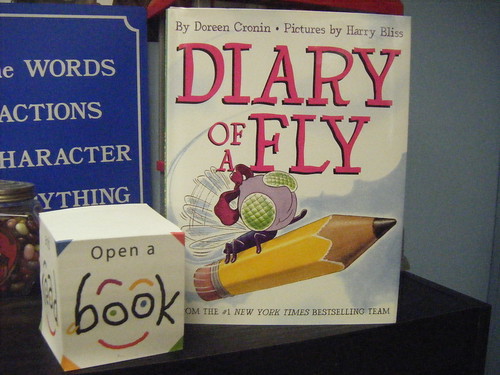
The students in Mrs. Carline's grade 1 class at Cozy Lake School recently completed an author study of Doreen Cronin. Ms. Cronin wrote the Farmer Brown books Click Clack Moo, Giggle Giggle Quack and Dooby Dooby Moo. She also wrote The Diary of a Spider, The Diary of a Worm and The Diary of a Fly.


During the author study the lass discussed character point of view and personification. After reading many of Ms. Cronins books, they wrote letters to Farmer Brown as well as diaries of their favorite animals. The culminating activity was a SKYPE video conference with Ms. Cronin.  She read the class Click Clack Moo. After reading the story Ms. Cronin answered questions that the students had developed.

The students asked her about how she works with the illustrator,  where she gets her ideas for writing, where she writes her books, what is the process she follows when writing a book, and other questions about her character choices. It was an amazing and educational experience for the students. I have shared to videos of the event in this posting below.

By providing access to authors using video conferencing we can engage students in the writing process. An authentic learning experience like this allows students to make connections between the process an author follows and the writing process they are learning in the classroom.

Below are Part 1 and Part 2 of our Video Conference. Enjoy!


Wednesday, May 4, 2011

Primary Source Documents in Social Studies

Primary sources are the building blocks of history. They are not limited to printed documents. They may also be artifacts, places, sounds and images. When primary source documents are used in instruction they expose students to various perspectives on issues from the past. They promote inquiry. Students engage in question asking, critical thinking, inferencing and interpretation. In many instances classes that utilize primary source documents create an environment where students engage in debates about interpretations. They will challenge each others conclusions and engage in a rich dialogue.


Instructional Value

Students who analyze and discuss primary source documents will soon realize that almost all recorded events are subjective. They will be empowered to research and defend or disprove their findings. Primary source documents are supportive of the first framework of universal design for learning as well as differentiation. By providing multiple representations of content we can individualize the learning experience of our students.

A quote from Docs Teach


Primary sources encourage higher order thinking. As historians, students can link documents to see cause and effect relationships, fit historical pieces together to understand a whole story, understand historical events in context by relating primary sources to mathematical data or geographic locations, and assess primary sources as evidence to formulate interpretations about the past.

Providing Help for Students

Reading and analyzing primary source documents may be difficult for some students. Here is a guide that will help students learn how to annotate such documents in order to understand the documents and to become active readers. Here is a guide with some strategies for reading these types of documents.

Implementation and Extension with Web Tools

Primary source documents may be provided to students in electronic form. By using Moodle, blogs or wikis students may engage in discussions about the sources in forums, collaborate on analysis, and develop presentations regarding them. By building a library or collection of primary source documents we can not only differentiate for our students but we can move to an instructional model that is not dependent upon a textbook and allows for self-directed learning.

Docs Teach - www.docsteach.org

While there are many sources for such documents, Docs Teach is one worth exploring. It was developed by the National Archives. With Docs Teach we can setup classes and assign activities to classes. Activities consist of a collection of primary source documents and a related activity.  The activities are interactive. They encourage students to apply the levels of blooms taxonomy as they work to build  and support their interpretations within each activity.  Below is a screenshot of the available activities. Click the image to enlarge.


You will also find a library of activities that have been created by other educators and shared on the site.

Enjoy!

Thursday, April 21, 2011

Enaged Students - Authentic Tasks - Disguised Learning

I had the opportunity this week to work with a middle school French class. The current curriculum was addressing occupations. The students were being introduced to the vocabulary associated with this topic. Students in the class were assigned the task of researching and presenting a final project that documents what they learned about their occupation. Of course, the entire projected needed to be written and presented in French.

I worked with the teacher, Mrs. Neuschatz,  to develop a project that the students would relate to. We wanted to move away from a traditional research based presentation where students develop PowerPoint slides of texts and images. These types of projects typically do not involve a high level of motivation nor do they result in significant learning or knowledge exchange in a classroom. We can be honest and refer to them as "death by PowerPoint". I think everyone can relate to this.

What we decided to assign is a "Fakebook" profile. Our district is a member of Google Apps for Education. A quick search of the templates in Google Docs returned a number of "Facebook Profile Templates". I selected one that utilizes Google Presentation. It is a four page presentation template that mirrors a typical Facebook profile.
We assigned the students the task of developing a Facebook Profile for a person who practices the occupation that they select. They must include daily events (postings to the wall), who would this person be friendly with (friends), education and other information (info), events that this person might take part in (videos). Although we assigned a rubric, the students have some flexibility as to the content they could provide.

We expect to have some finished projects in a couple of weeks. However, my initial observations in the classroom were very interesting. The students were motivated and excited about the project. They applied creativity and a level of higher order thinking to make connections between the research they uncovered and the sections of the profile that they must complete. It was not sufficient to mere list responsibilities of "A Doctor". They instead had to apply that knowledge by listing activities and events that a doctor might experience and post them on "the wall".  Rather than supply a listing of facts in a typical slide, they are applying what they learned to a task. Students were not only making connections and applying knowledge, but they were learning French through an authentic and engaging task!

The template for our PowerPoint "Fakebook Project" can be found here.

I will share some of our final products when they are ready.

Monday, March 28, 2011

Student Made Tutorials Using Paper Slides

What do you do when workbooks, handouts, and class problem sets are not connecting with your students? What do you do for those students who have a solid understanding of a topic before you begin the lesson? How are you differentiating for them? Can you address the needs of your advanced students as well as your struggling students with one activity?

Student made tutorials should be a welcome addition to any classroom. Students may be assigned to work independently or in small groups. Their task is to develop a video tutorial that explains a topic, problem or concept discussed in class. The completed video will be published online for all students in the class to reference as a study guide. By providing such an activity you are allowing your more advanced students the opportunity to apply their knowledge of the topic and better grasp the material by developing a lesson to teach the topic. Your struggling students will then have access to this tutorial online. They can pause, stop, rewind and replay the videos at home while working on homework or studying for an assessment.

There are a number of  options for creating tutorials. Paper Slide  Tutorials is a simple, cost effective method. It is no intrusive in the classroom and can be easily integrated in all subjects. The process is simple. Students plan a storyboard for the lesson. They prepare paper slides that will be used to present the topic. Once they are organized they will begin recording their tutorial. A Flip Video Camera or any Web Cam can be used to record the tutorial. Once completed the video can be published on the teachers website, Blog, School Tube, YouTube or any other video sharing site.

Here is a video made by a teacher for his students, introducing the process of Paper Slide Videos:


Here is a a sample project made by a student:

Tuesday, March 22, 2011

Add a Back Channel to Your Classroom

journalism students using macs apple

There is a new phenomenon occurring in classrooms, workshops and meetings. It is called back channeling. This refers to participants in a event communicating and collaborating with technology to take notes, ask questions and reflect in real-time.

A great tool to accomplish this is the website Today’s Meet. In order to get started you visit the site, create a room and send the link to the room to the other participants. The link to the meeting room can be posted on the board, linked to a teacher website or emailed to a group. The participants can immediately start a live chat. The results of the chat stay online  for the period of time specified. They can also be copied to a Google Doc and shared with the rest of the class.

This technology could be very useful as a way for a class to take collaborative notes and pose questions  while viewing a media clip, a speaker or a class lecture. Instead of having students sit and watch a media clip or longer video they can be engaged and interact with it. The teacher may post a couple of thought provoking questions for the students. While watching the video the students may use Today's Meet or a Google Doc to document their answers to the questions. By adding Q1 or Q2 to the start of the response, the teacher and students will be able to identify what they are responding to. Students may also comment on what they are viewing and add questions and reaction that they have.

Typically it is difficult to get students to take notes. When using this technology and asking them to multitask the students actually respond. As a result, the online documentation of the collaborative conversation allows the teacher to see what the students understand, what they do not understand and what topics require further discussion.

Today's meet could  also be used during video conferencing sessions with other schools or subject area experts. Students from both classes may take detailed notes regarding the event. These notes are then viewable online for everyone to review.  They may also post questions that the speaker may access and address during the presentation.

Many schools have utilized student owned electronic devices to maximize student access to back channeling. In some classrooms , that have only a couple computers, a few students are assigned the role of "class scribe" for the day. They are responsible for collaborative note-taking. These notes are then available online for the class to share and discuss.